
Course Quick Info
| Duration | 60 Days |
|---|---|
| Mode | Classroom at KPHB + Online Available |
| Certificate | Manju CAD Experts Certificate + SolidWorks Certified Associate (CSWA) preparation guidance |
| Placement | 100% Placement Assistance — Manufacturing, Automotive, Industrial Design |
| Who Should Join | Mechanical Engineering Students & Graduates, Diploma Mechanical Holders, Working Engineers |
Why SolidWorks?
SolidWorks, developed by Dassault Systèmes, is the most widely used 3D CAD software in India's manufacturing and engineering sector. From two-wheeler and four-wheeler component design to industrial machinery, consumer products, and medical devices — SolidWorks is the tool mechanical engineers use to bring ideas to life. In Hyderabad's growing manufacturing and defence sector (with DRDO, BDL and BHEL nearby), SolidWorks proficiency opens doors that 2D AutoCAD simply cannot.
Curriculum
Course Syllabus
7 modules
- SolidWorks interface: CommandManager, FeatureManager, PropertyManager
- Sketch entities: Line, Rectangle, Circle, Arc, Polygon, Spline, Slot
- Geometric relations (coincident, parallel, perpendicular, tangent, equal)
- Smart Dimension — fully defined vs under-defined sketches
- Sketch tools: Trim, Extend, Mirror, Offset, Convert Entities
- Base features: Extrude Boss/Cut, Revolve Boss/Cut
- Swept Boss/Cut and Loft Boss/Cut for complex shapes
- Fillet, Chamfer, Shell, Rib, Draft features
- Hole Wizard — standard hole types (counterbore, countersink, threaded)
- Patterns: Linear, Circular, Curve-driven, Fill patterns
- Reference geometry: Planes, Axes, Coordinate Systems, Points
- Base Flange / Tab creation
- Edge Flange, Miter Flange, Sketched Bend
- Closed Corners, Hems, Jog Bend, Lofted Bends
- Flat pattern creation and sheet metal drawings
- Extruded, Revolved, Swept, Lofted surfaces
- Boundary Surface, Fill Surface, Planar Surface
- Trim, Untrim, Extend, Knit, Thicken surfaces
- Surface to solid conversion techniques
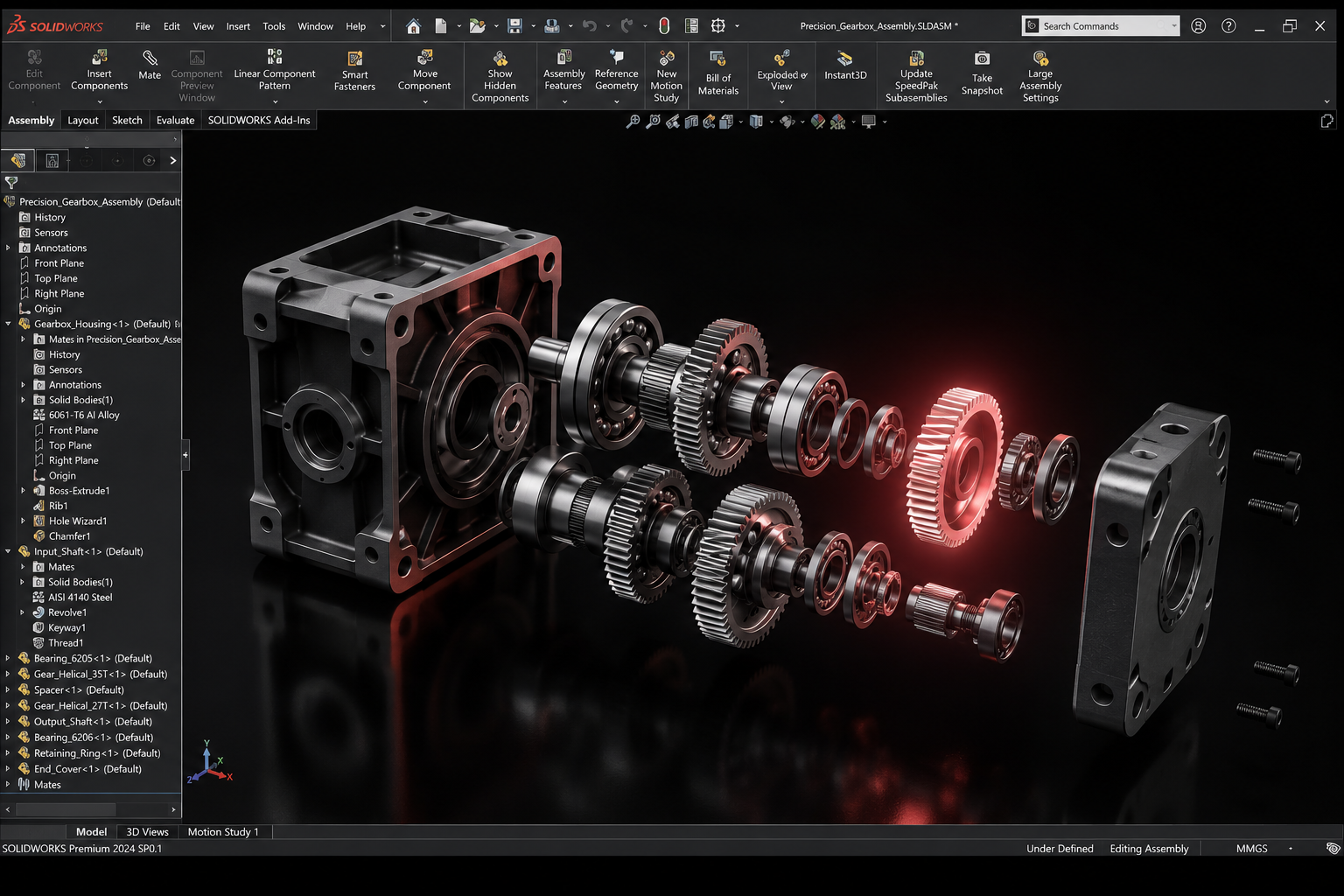
- Bottom-up and top-down assembly approaches
- Standard Mates: Coincident, Concentric, Distance, Angle, Parallel, Perpendicular
- Advanced Mates: Width, Symmetry, Profile Centre, Path Mate
- Mechanical Mates: Gear, Cam, Hinge, Rack & Pinion, Screw
- Toolbox (standard fasteners: bolts, nuts, washers, keys)
- Exploded view and animation
- Interference and collision detection
- Creating 2D engineering drawings from 3D parts and assemblies
- Standard views: Front, Top, Side, Isometric, Section, Auxiliary, Detail
- Dimensioning, GD&T symbols, surface finish, tolerances
- Bill of Materials (BOM) and balloon annotations
- 3D model of a mechanical component (flange, bracket, housing)
- Assembly of a simple machine (vice, jack, clamp)
- Sheet metal component with flat pattern
- Complete engineering drawing set for a mechanical assembly
Career Opportunities
- ✓Mechanical Design Engineer at manufacturing companies
- ✓Product Design Engineer at consumer goods / automotive
- ✓CAD Engineer at defence, aerospace, industrial equipment firms
- ✓Sheet Metal Designer at fabrication companies
- ✓SolidWorks Certified Associate (CSWA) — globally recognised
Ready to start your career in SolidWorks?
Talk to Manju Ma'am, sit in on a live class, and decide for yourself.